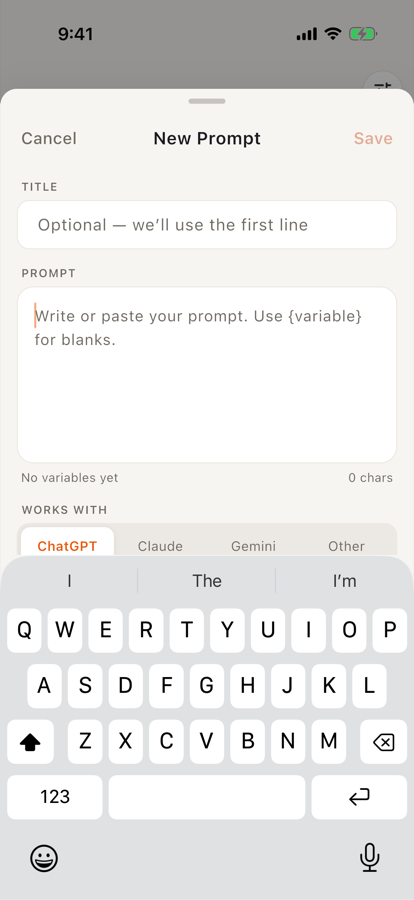
Save in seconds
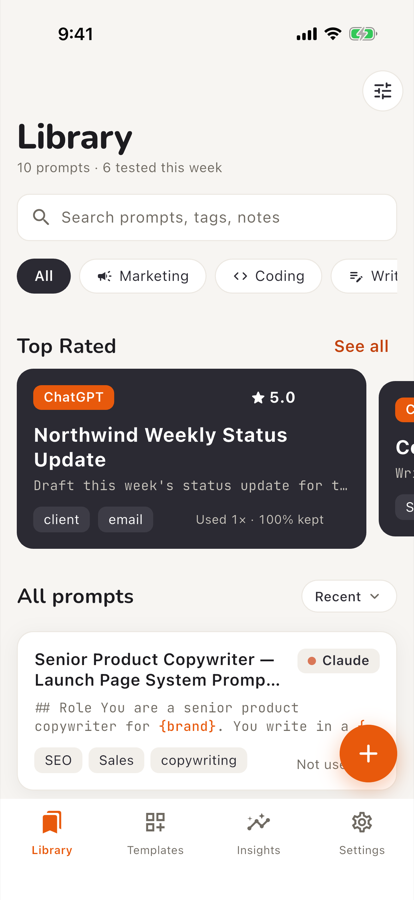
Paste the prompt, add a title, pick the AI it is for (ChatGPT, Claude, Gemini or other) and a folder.
Offline-first prompt library
Save the prompts you use in ChatGPT, Claude and Gemini. Fill {variables}, copy and open your AI in one tap, then rate each result. Loadout learns which prompts earn their place.
Notes, messages, old conversations. You keep rewriting the same prompts from scratch and never know which version was actually best. Loadout is one calm place for your own prompts, with proof of which ones deliver.
Features
Paste the prompt, add a title, pick the AI it is for (ChatGPT, Claude, Gemini or other) and a folder.
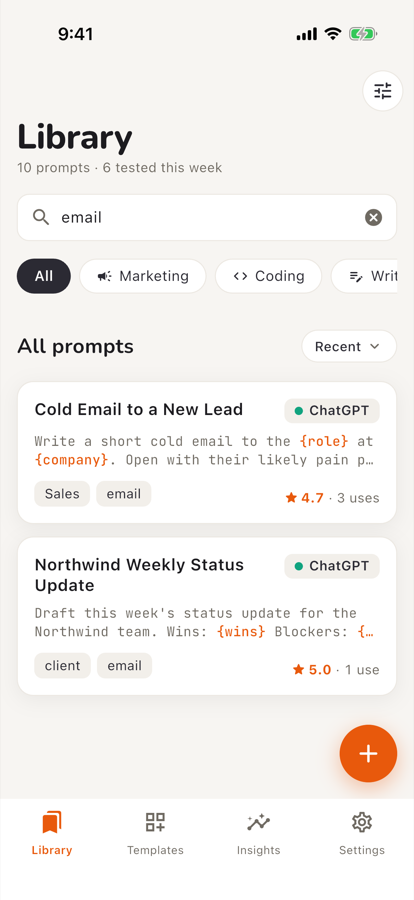
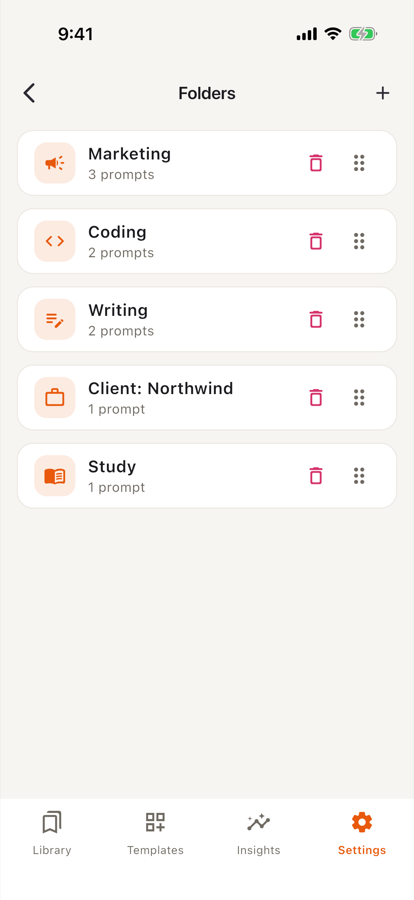
Organise by folder, tag anything, and search titles, prompt text and notes as you type. Vietnamese diacritics work too.
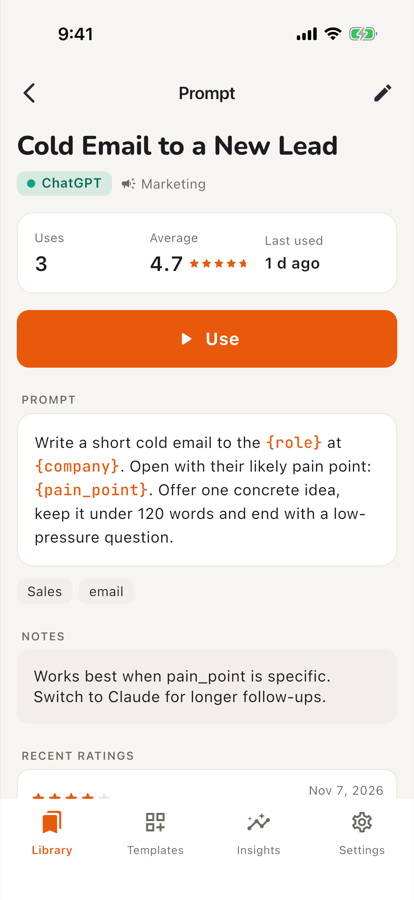
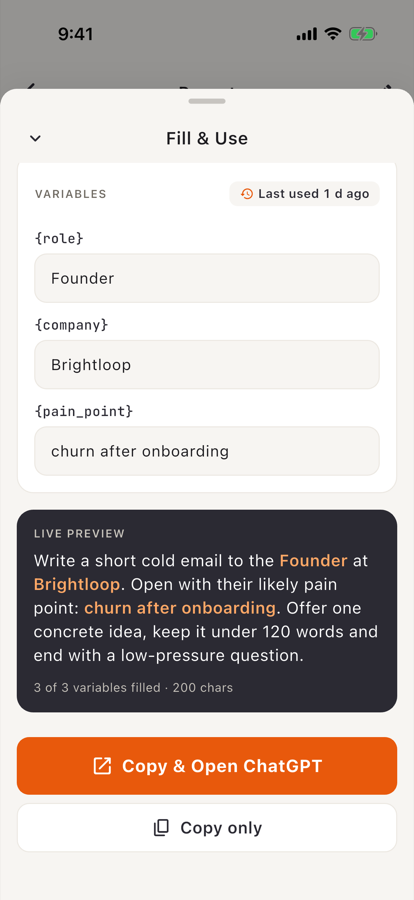
Write {product} once. Loadout builds the form, previews the result and remembers your last values.
One tap copies the filled prompt and opens your AI app, or its website if the app is not installed.
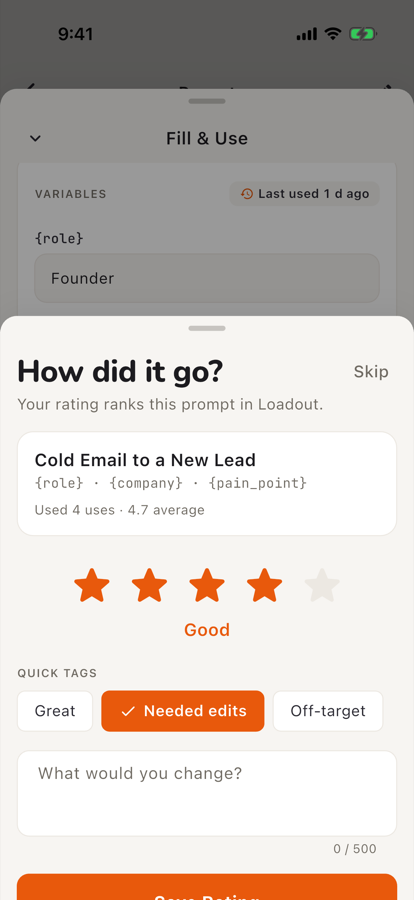
1 to 5 stars, a quick tag like Great or Needed edits, and an optional note. About two seconds per rating.
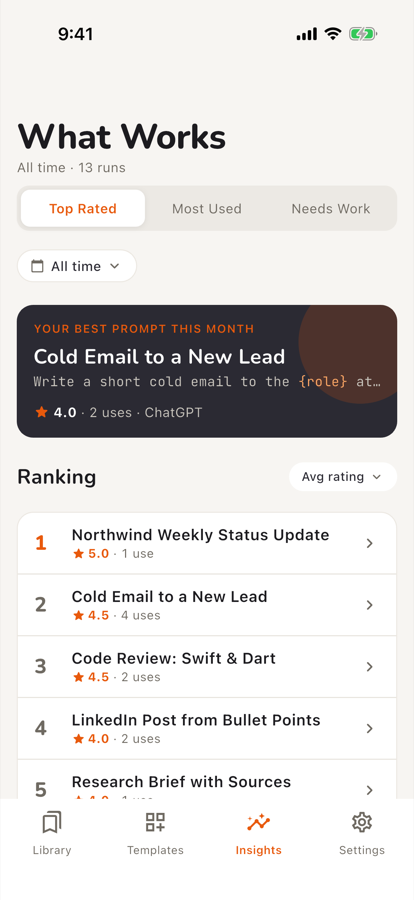
Insights shows your top rated and most used prompts, what needs work, and usage by AI.
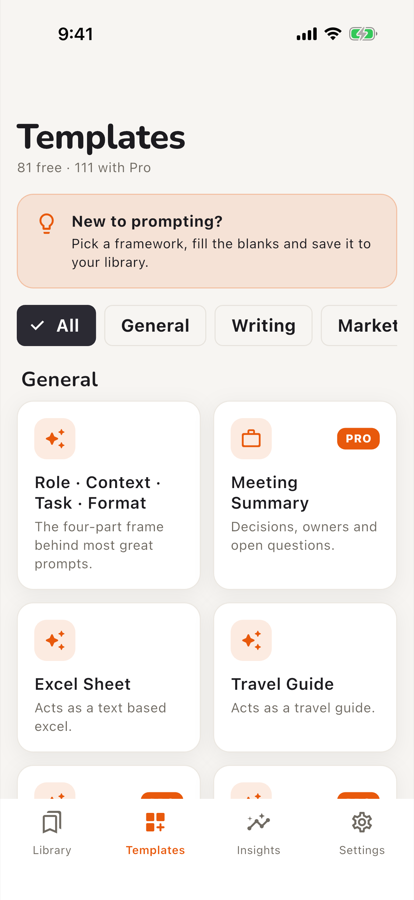
Ready-made prompts for coding, study, writing, business and marketing. More than 80 are free.
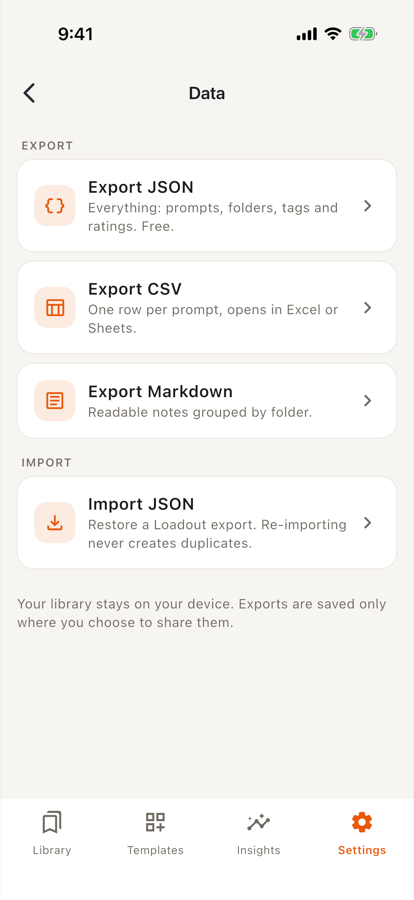
Export your whole library as JSON for free. CSV, Markdown and import are part of Pro.
How it works
01
Capture a prompt the moment it works, tagged with its AI.
02
Fill the variables, check the live preview, copy and open.
03
Tell Loadout how it went. Stars, a tag, an optional note.
04
Watch Insights sort your library by real results.
Inside the app
Private by design
No account, no developer server, no ads. Your library lives on your device. Turn on sync and it is copied to your own iCloud Drive, where we cannot read it. Anonymous analytics and crash reports help us improve the app, never include prompt text, and can be turned off in Settings.
Read the Privacy Policy →No account
Install and start. No sign-in, ever.
Works offline
Save, search, fill and copy without a connection.
Export anytime
Your whole library as JSON is free.
Never locked out
Data stays visible and usable if Pro lapses.
Pricing
Subscriptions include a 7-day free trial. Cancel anytime in your store settings.
Everything you need to build the habit.
$0
For a library you rely on every day.
or $19.99 / year (save 16%) · or $39.99 once, forever
Prices in USD; local prices may vary by store and region.
No. There is no sign-in and no developer server. You install the app and start saving prompts; everything stays on your device.
On your device. If you turn on sync (Loadout Pro), your library is copied to your own iCloud Drive, so your iPhone, iPad and Mac stay in step. We cannot read it.
No. Loadout never calls an AI service. It copies the prompt you chose to your clipboard and opens the AI app or website you select, so you paste and run it yourself.
After you copy a prompt, Loadout asks how it went: 1 to 5 stars, a quick tag and an optional note. Prompts are ranked by your average rating, then by how many times you rated them, then by use count. Unrated prompts come last.
Yes. Saving, searching, filling variables, copying and rating all work without a connection. Opening an AI website needs one, of course.
Free includes up to 30 prompts and 3 folders, search, tags, variables, Copy & Open, ratings, the top 3 in Insights, 80+ templates and JSON export. Pro adds unlimited prompts and folders, iCloud sync, full Insights, CSV and Markdown export, import and all 190+ templates.
Nothing is hidden or locked. Your library stays fully readable and usable; only the Pro features, like sync and unlimited creation, pause until you return.
iPhone, iPad and Mac (running the iPad app), plus Android. The app is available in English, Tiếng Việt, Español, العربية, 日本語 and 中文, and search handles Vietnamese diacritics.
Build a prompt library that tells you what works, and keep it private.